Start a project

ConceptTidewell Front Desk · sample data

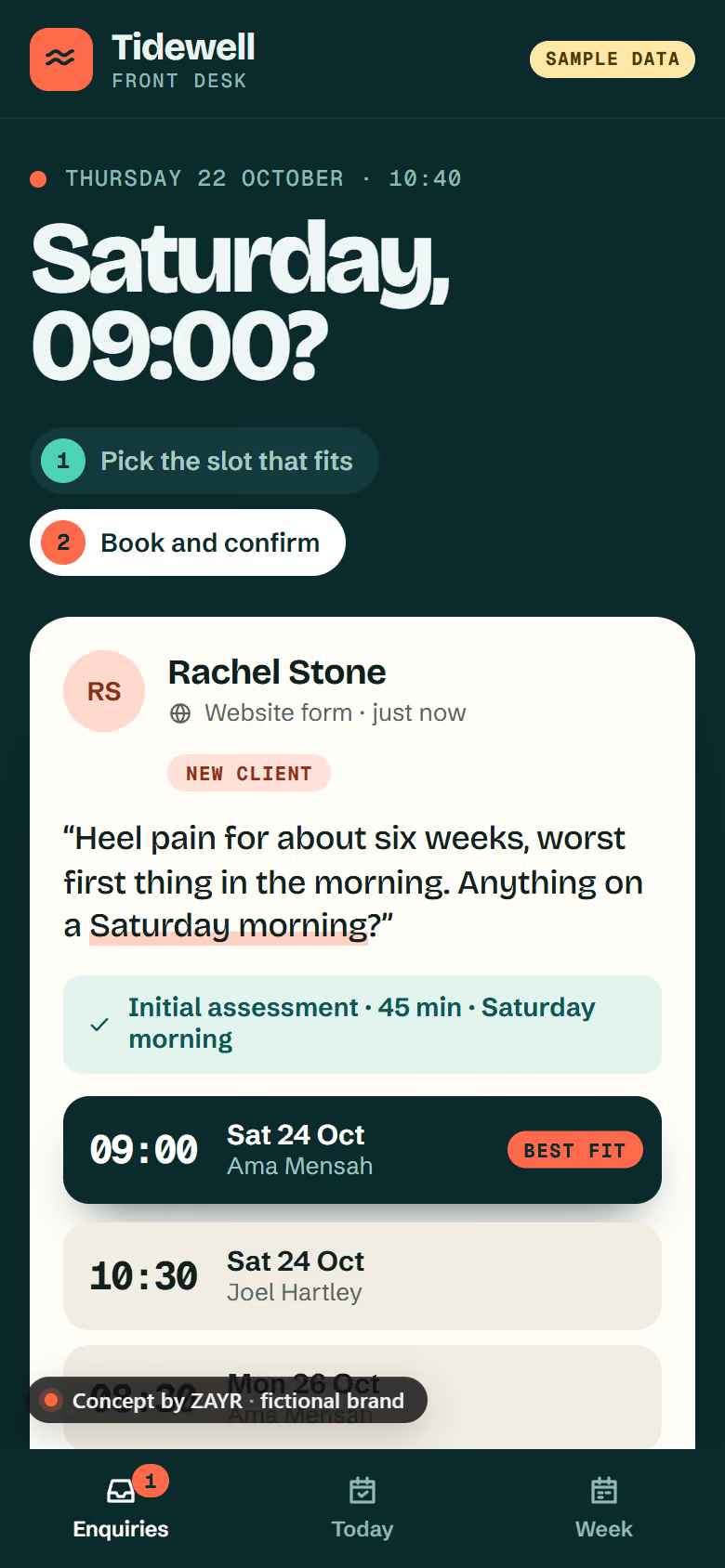
Concept: the Tidewell Front Desk app on a phone, sample data, with an enquiry and the best-fit slot.

Automation buildsone workflow, scoped and testedOne job,off yourplate.

Pick the job that relies on someone remembering. We build it to run on its own, with you approving what matters.

Worked exampleson our concept app, sample data

Four jobsoff your list

ConceptTidewell Front Desk · fictional clinic · sample data

Example workflow

Enquiry follow-up

Enquiries answered while you work.

Starts when
An enquiry arrives from your website form or inbox.
Then
  1. Saved with a reference
  2. You’re alerted
  3. A reply drafted in your wording
  4. A reminder if it goes quiet
You decide
Every reply, before it’s sent.
Falls short when
Calls and social messages aren’t caught unless we connect those too.
ConceptTidewell Front Desk · fictional clinic · sample data

Example workflow

Quote chasing

Quiet quotes get a polite nudge.

Starts when
A quote has had no reply for a set number of days.
Then
  1. Logged when it’s sent, with the date
  2. You get a reminder, details in one place
  3. Optional: a follow-up you approved goes out
You decide
Whether to chase, or let the approved email go.
Falls short when
A quote sent outside the system isn’t chased.
ConceptTidewell Front Desk · fictional clinic · sample data

Example workflow

Booking reminders

Reminders go out. Changes come to you.

Starts when
A booking is in a calendar we’ve confirmed we can connect.
Then
  1. A reminder a set time before
  2. A reply to cancel or move is flagged to you
You decide
Changes to the diary stay with you.
Falls short when
Service messages only. Marketing needs consent under UK PECR rules.
ConceptTidewell Front Desk · fictional clinic · sample data

Example workflow

Monday summary

Last week’s enquiries in one email.

Starts when
Every Monday morning.
Then
  1. New, replied and still open, at a glance
  2. Anything open too long is listed first
You decide
What to do with the open ones.
Falls short when
It sums up what was logged. Conversations elsewhere don’t show.

How a build runs2–6 weeks, typically

Call toswitched on

  1. Call

    Scoping

    How the job runs today, step by step, and where it drops.

  2. Within 2 working days

    Written scope

    What it does, which tools, the price and the date.

  3. 2–6 weeks

    Build and test

    Built against sample data. You try it and ask for changes.

  4. Go-live

    Switched on

    It runs on real enquiries. We watch the first fortnight closely.

  5. 30 days

    Fixes included

    Defects fixed free. Then care, or you run it.

Typical, not a promise. Your timeline is agreed in writing before we start.

In everybuild

  • A fixed written scope before any deposit
  • One workflow, built and documented in plain English
  • Built on tools you already use where possible
  • Tested on sample data with you
  • One round of changes
  • 30 days of fixes after go-live

You bringso we can start

  • A walk-through of how the job runs today
  • Admin access to the tools we connect
  • Sample data we can test with
  • One person to sign off

One Workflowthe simplest start

£199 one-offoptional monitoring £29 a month

Scope fixed in writing before you pay. Larger packages below.

See pricing

Good to know: this doesn’t cover software subscriptions (paid by you, in your name), cleaning up old customer lists, and marketing messages without consent. No VAT is charged.

ZAYR Automatepackages

One Workflow

One-off

For one repetitive job to fix

£199 one-offoptional monitoring £29 a month

  • One scoped workflow
  • Tested on sample data
  • Optional monitoring
Package details: One Workflow
What you’ll receive
  • One scoped workflow, e.g. enquiry → CRM → follow-up
  • Built on tools you already use where possible
  • Tested on sample data before go-live
  • 30 days of fixes after go-live
Timeline
We’ll confirm your timeline after reviewing your requirements.
Revisions
1 change round
Payment
Paid once the scope is agreed in writing
Term
One-off project
Outside this package
More workflows (see Workflow Growth) · Ongoing changes (quoted, or optional monitoring)
Third-party costs
Software subscriptions you choose (paid by you, in your name) · Usage-based charges from those tools (e.g. AI or SMS credits)
Ongoing costs
Optional monitoring, plus your software subscriptions
More about One Workflow

Workflow Growth

Monthly

For several connected jobs

£99 a monthplus £499 setup

  • Up to three scoped workflows
  • Monitoring and fixes
  • Small monthly changes
Package details: Workflow Growth
What you’ll receive
  • Up to three scoped workflows, built and tested
  • Monitoring of those workflows
  • Fixes when a connected tool changes
  • Small changes each month (to confirm: up to 1 hour)
Timeline
We’ll agree a clear schedule with you before work begins.
Revisions
1 change round per workflow
Payment
Setup when the scope is agreed, then monthly in advance from go-live
Term
3-month minimum, then 30 days’ notice. No exit fee
Outside this package
New workflows beyond three (quoted) · Automations ZAYR did not build
Third-party costs
Software subscriptions you choose (paid by you, in your name) · Usage-based charges from those tools (e.g. AI or SMS credits)
Ongoing costs
Monthly management, plus your software subscriptions
More about Workflow Growth

Operations Pro

Monthly

For running operations on automations

£249 a monthplus from £999 setup

  • Up to eight scoped workflows
  • Monitoring and fixes
  • Monthly review
Package details: Operations Pro
What you’ll receive
  • Up to eight scoped workflows, built and tested
  • Monitoring of those workflows
  • Fixes when a connected tool changes
  • A monthly review and small changes (to confirm: up to 3 hours)
Timeline
We’ll agree a clear schedule with you before work begins.
Revisions
Set in the written scope
Payment
Setup when the scope is agreed, then monthly in advance from go-live
Term
3-month minimum, then 30 days’ notice. No exit fee
Outside this package
New workflows beyond eight (quoted) · Custom software (see Bespoke Business System)
Third-party costs
Software subscriptions you choose (paid by you, in your name) · Usage-based charges from those tools (e.g. AI or SMS credits)
Ongoing costs
Monthly management, plus your software subscriptions
More about Operations Pro

Bespoke Business System

Tailored

For a system built around how you work

From £2,499 one-off

  • Discovery and written proposal
  • Custom system build
  • Management quoted separately
Package details: Bespoke Business System
What you’ll receive
  • Discovery of your process
  • A written proposal with every item listed
  • Build, testing and handover
Timeline
We’ll agree a clear schedule with you before work begins.
Revisions
Set in the proposal
Payment
Staged payments, set out in the proposal
Term
One-off project
Outside this package
Ongoing management (quoted separately) · Anything not in the proposal
Third-party costs
Software subscriptions you choose (paid by you, in your name) · Hosting and licences, set out in the proposal
Ongoing costs
Ongoing management is quoted separately
More about Bespoke Business System
Compare side by side: Automation packages
One WorkflowWorkflow GrowthOperations ProBespoke Business System
Scope1 workflowUp to 3 workflowsUp to 8 workflowsBuilt to your process
Price£199 one-off (optional monitoring £29 a month)£99 a month (plus £499 setup)£249 a month (plus from £999 setup)From £2,499 one-off
Best forOne repetitive job to fixSeveral connected jobsRunning operations on automationsA system built around how you work
Timeline≈1–2 weeks≈2–4 weeks≈4–8 weeksSet at scoping
Revisions1 change round1 change round per workflowSet in the written scopeSet in the proposal
PaymentPaid once the scope is agreed in writingSetup when the scope is agreed, then monthly in advance from go-liveSetup when the scope is agreed, then monthly in advance from go-liveStaged payments, set out in the proposal
TermOne-off project3-month minimum, then 30 days’ notice. No exit fee3-month minimum, then 30 days’ notice. No exit feeOne-off project
Third-party costsSoftware subscriptions you choose (paid by you, in your name); Usage-based charges from those tools (e.g. AI or SMS credits)Software subscriptions you choose (paid by you, in your name); Usage-based charges from those tools (e.g. AI or SMS credits)Software subscriptions you choose (paid by you, in your name); Usage-based charges from those tools (e.g. AI or SMS credits)Software subscriptions you choose (paid by you, in your name); Hosting and licences, set out in the proposal

Every workflow is scoped in writing before you pay. Software subscriptions and usage charges are paid by you, in your name. Want calls answered too? See the AI receptionist.

Monitoring and managementafter go-live

Keptrunning

  • Monitoringof the automations we built for you
  • Fixeswhen a connected tool changes
  • Includedin Workflow Growth and Operations Pro; optional on One Workflow
  • 3-month minimumthen 30 days’ notice, no exit fee

£99 a monthplus £499 setup

Compare packages

Automations we builtExample · sample data

  • Enquiry follow-upChecked this morningRunning
  • Quote chasing2 nudges waiting for youRunning
  • Booking remindersCalendar update, reconnected TueFixed
  • Monday summarySent Mon 07:30Running

Change time used this month1 h 10 of 3 h

Before youstart

Anything else? Ask us and we’ll answer in writing.

How do I get started?

Tell us the job you keep chasing, by email or a short call. We map how it runs today, then send a written scope and a fixed quote, usually within 2 working days. The build starts once you approve the scope.

What can you automate for my business?

Repetitive admin with clear rules: enquiries from your website form and inbox saved in one place, replies drafted for your approval, follow-up reminders, quote chasing, booking reminders and a weekly summary. Where a step needs judgement, you stay in it.

Do I need new software?

Usually not. We build on tools you already use, such as Google Workspace or Microsoft 365, a shared spreadsheet or your CRM, and confirm each connection at scoping. If a new tool would help, you see its cost before you agree, and the account stays in your name.

How long does a build take?

One Workflow usually takes 1 to 2 weeks once the scope is agreed; Workflow Growth 2 to 4 weeks and Operations Pro 4 to 8 weeks. The timeline is agreed in writing before we start, and the build is tested on sample data with you before it goes live.

What happens after launch?

Defects are fixed free for 30 days. After that, One Workflow has optional monthly monitoring; Workflow Growth and Operations Pro include monitoring, fixes when a connected tool changes and small monthly changes (3-month minimum, then 30 days’ notice, no exit fee). Or you run it yourself, with a plain-English note of how it works.

Can I add more later?

Yes. Start with one job, then add the next when you’re ready. Move from One Workflow to Workflow Growth (up to three workflows) or Operations Pro (up to eight). Larger systems are scoped as a Bespoke Business System.

Scope yourfirst build

Describe the job you keep chasing. We’ll say if it’s worth automating, and send a fixed quote.